The Forum
Quick answers
- Does Iron Realms have a forum?
- Yes. Iron Realms runs its own board at /site/forum/, signed in with the same Iron Realms account you play with. There is nothing extra to register for.
- How do forum ranks work in Iron Realms?
- Your posting rank rises with the number of posts you have written: Smallfolk, Sworn Sword at 5, Household Knight at 25, Landed Knight at 75, Bannerman at 200, Lord Paramount at 500, and Warden of the Realm at 1,200. It is a posting badge, not a statement of standing — your alliance and your rank within it are shown separately, above it.
- Is Iron Realms free to play?
- Yes. Iron Realms is free to play in any browser with no download and no account required. Every building, troop tier and Seat of Power is reachable without spending money — purchases buy speed and cosmetics, never a higher ceiling.
- Does spending money make you stronger in Iron Realms?
- No. Nothing purchasable raises your power ceiling. A charter audit runs on every build and fails it if any offer would sell power. Spending compresses time: the summit takes about 24 months free, or 18 months with the $9.99 monthly Warden's Charter held throughout.
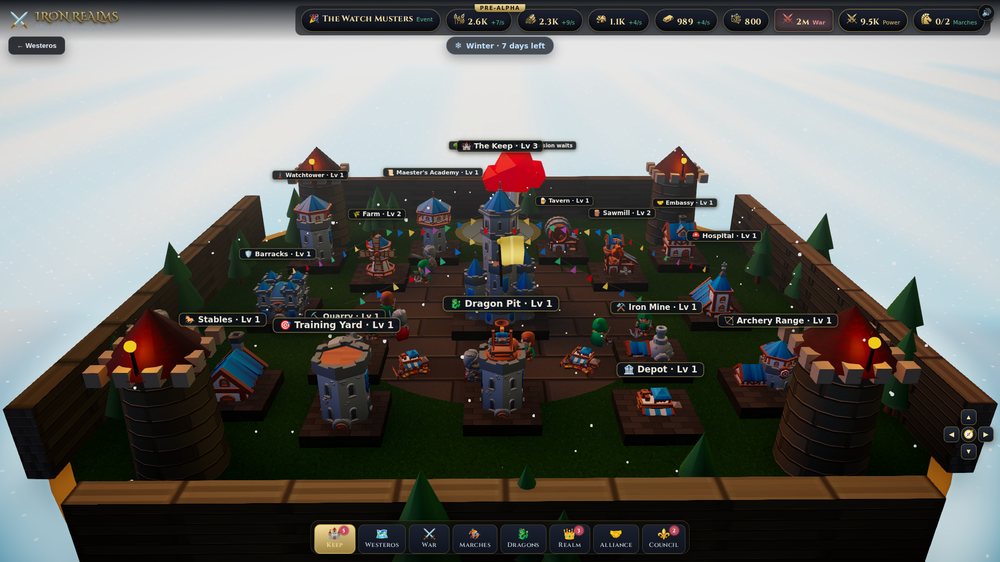
The board is not a bolt-on. It runs on the same account you play with, knows which alliance you ride for, and remembers where you stopped reading — so opening it after a week away shows you what actually moved rather than a wall of posts you have to date-check by hand.
Nodes and threads
The front page is a list of nodes — Announcements, Strategy, Alliances & Recruitment, Bug Reports and the rest — each showing its thread count, post count and the latest thread in it. Open one and you get its threads, sticky posts first, then whatever was replied to most recently.
Two marks make the list readable at a glance:
- Unread — a gold edge and a brighter title on any thread with posts you have not seen. This is computed from a read mark kept on your account, so your phone and your desk agree about what you have read.
- WATCHING — a tag on threads you have subscribed to.
Your identity on the board
Every post carries an identity column down its left side: your avatar, your name, the banner you ride under and your rank within it, then your posting rank, post count, reaction score and the month you joined.
The banner line matters. A post count is a fine badge and a poor statement of standing — an alliance's Warden with four posts would otherwise read as "Smallfolk" beside one of their own bannermen. So the board shows both, and shows standing first:
| Alliance rank | What it means |
|---|---|
| Warden | Holds the banner. Can rename, disband, or pass it on. |
| Council | Sits the Council — draws the battle plan. |
| Captain | May recruit. |
| Sworn | Rides under the banner. |
Posting rank is separate, and earned purely by writing: Smallfolk, Sworn Sword at 5 posts, Household Knight at 25, Landed Knight at 75, Bannerman at 200, Lord Paramount at 500, and Warden of the Realm at 1,200. You can also set a custom title and a signature from your profile, and the custom title replaces the earned one on your posts.
Reactions
A 👍 on a post. One per post per lord — the database itself makes a second one impossible, so no amount of clicking inflates a score. You cannot react to your own posts, which is the oldest way to pad a number and the first one worth closing.
Watching, alerts and What's New
This is the part that makes a board a habit rather than a place you remember to check.
- Opening a thread subscribes you to it. So does replying. Either can be turned off with the 👁 Watch button — a board you cannot make quiet is one people stop opening.
- A reply tells every watcher. A 👍 tells the author. Nobody is ever alerted about their own words.
- The 🔔 bell in the header carries your unseen count. Opening the alerts page marks them read after it draws, so you actually see what was waiting.
- What's New collects every thread with posts you have not read. When it is empty, you are genuinely caught up.
Conversations
The board's private half — see Conversations.
Search and members
Search runs over thread titles and post bodies, newest first. The Members roll lists everyone who has posted, ranked by contribution, each with their banner, their rank in it, and their posting badge. Tapping a member opens their profile: their stats, their recent posts, and — if it is not you — a ✉️ Write to them button.
House rules and moderation
Be civil, keep it on-topic, and no spam, harassment, or real-world personal details — yours or anyone else's. Bug reports belong in their own node. Moderators can pin, lock, remove and unremove threads.
One rule is enforced by the software rather than by a moderator: your email address can never appear on the board. Every name the server sends is laundered on the way out, and any name containing an "@" is refused outright. See Your name in the realm.